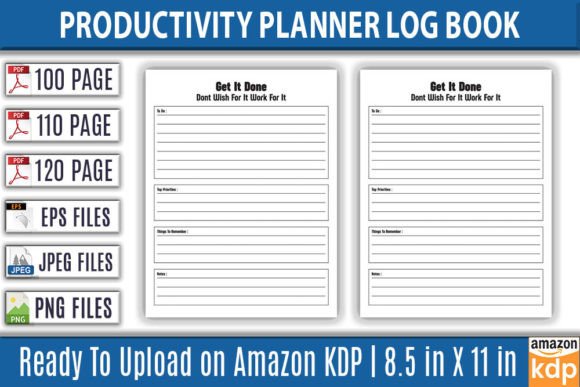
Productivity Planner Log Book for KDP Success
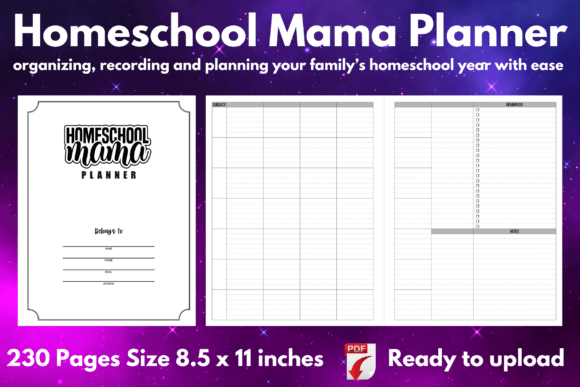
If you are building a low-content or no-content publishing business on Amazon KDP, you already know that the difference between a product that sells and one that sits idle often comes down to design quality. The Productivity Planner Log Book KDP Int is not just another template pack. It is a fully vector, editable, and resizable set of PDF, EPS, and PNG files that give you complete control over your print-ready interiors. Whether you are publishing a daily planner, a habit tracker, a gratitude journal, or a goal-setting notebook, this log book interior gives you a professional foundation without locking you into a rigid layout.
What makes this asset stand out is its flexibility. The files are built with Adobe Illustrator in mind, so you can open the EPS source files, adjust every element, change trim sizes, and repurpose the design for multiple projects. The 100-page, 110-page, and 120-page variants mean you can match your content length to your niche without needing to rebuild from scratch. And because every file is tested on Amazon KDP for print quality at 300 DPI with no bleed settings, you eliminate the guesswork when uploading to KDP Direct Publishing.
Visual Style and Personality of the Productivity Planner Log Book
This log book interior leans toward a clean, functional aesthetic. The layout prioritizes clarity and ease of use, which is exactly what buyers expect from a productivity planner. The typography inside follows a modern sans serif approach—readable at small sizes, consistent across page numbers and headings, and neutral enough to work with different cover styles. The personality here is not decorative or whimsical. It is professional, purposeful, and minimal. That makes it ideal for audiences who want structure without distraction.
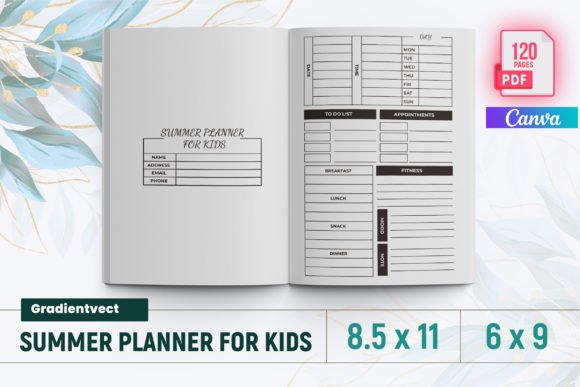
From a design perspective, the visual hierarchy is well-considered. Entry fields, checkboxes, date areas, and note sections are spaced to allow comfortable handwriting while maintaining a grid-like order. The use of thin rules and subtle dividers creates a calm, open feel. If you are a publisher targeting entrepreneurs, students, or professionals over the age of 20, this aesthetic matches their expectations. It feels like a tool, not a decoration.
Where This Log Book Interior Works Best
The Productivity Planner Log Book KDP Int is versatile enough to serve multiple project types. Here are the most effective applications:
- Daily and weekly planners – The 8.5×11-inch trim size gives plenty of room for time-blocking sections, task lists, and priority matrices.
- Habit and goal trackers – The clean grid layout supports monthly or quarterly tracking pages without visual clutter.
- Journal and notebook interiors – Lined and dotted variants within the file set allow for reflective writing or bullet journaling styles.
- Undated planners – Because there are no fixed dates, you can sell the same interior year after year without seasonal limitations.
- Digital and print combinations – The included high-resolution PNG and JPG files make it easy to create digital versions for platforms like Etsy or Gumroad.
If you are building a brand around productivity or self-improvement, having a consistent interior design across multiple titles builds recognition. Readers who buy one planner from you will recognize the layout quality when they see another. That repeat engagement is exactly what grows a small publishing business over time.
How the Design Influences Readability and User Experience
Readability in a planner is not just about font choice—it is about how the entire page guides the eye. The sans serif type used in this interior keeps headers and section labels easy to scan, even when printed at smaller scales. The line spacing and margin widths are calibrated to reduce visual fatigue during extended use. For someone using a planner daily, that matters more than any decorative flourish.
The layout also supports visual hierarchy through weight and spacing rather than excessive size changes. Section headers are slightly bolder, entry areas remain light, and borders are thin enough to recede into the background. This approach means the user focuses on their own writing, not on fighting the design. In terms of brand identity, a well-organized interior signals reliability and professionalism. Customers associate that feeling with your publishing brand, which increases trust and the likelihood of repeat purchases.
Practical Guidance for Choosing and Using This Interior
When you evaluate the Productivity Planner Log Book KDP Int for your next project, start by considering your niche. If your audience is young professionals or students, the clean modern typography and uncluttered pages will resonate. If you are targeting creative professionals, the minimal style gives them room to add their own stickers, doodles, or color coding without feeling cramped.
Test your font pairing early. The interior uses a neutral sans serif for most text, but if you plan to add cover quotes or section titles with more personality, consider pairing it with a display font or a refined serif font for contrast. A light serif for headings can add warmth without breaking the professional tone. Avoid script fonts or handwritten fonts inside the planner itself, as they reduce readability for daily scheduling. Save those for cover design or decorative elements.
Because the files are vector and fully editable, you can adjust the trim size if needed. The 8.5×11-inch format is standard for print-on-demand, but you can rescale the EPS files for 6×9 or 7×10 inch versions if you want to test a different market. Just remember to reset the bleeds and export at 300 DPI. The included JPG files are also high resolution, which helps if you want to preview the interior on a mockup or test listing quickly.
Commercial Licensing and Practical Considerations
One of the strongest aspects of this asset is that it is KDP tested and ready for commercial use. That means you do not need to worry about hidden restrictions when publishing on Amazon. The files are provided as commercial design assets, and you can use them across multiple titles without additional licensing fees. For any publisher looking to scale a low-content business, this removes a major friction point.
Keep in mind that the files come with no bleed settings. That is actually a time-saver for KDP printing because you can set your margins confidently without trimming issues. The 300 DPI quality ensures sharp text and fine lines, even on larger print runs. If you plan to sell physical copies through expanded distribution, the print quality will hold up across different printers.
For digital products, the transparent background PNG files are a bonus. You can layer the interior pages into design software for mockups, create digital previews for your Amazon listing, or build promotional graphics for social media. This kind of flexibility is valuable when you are managing multiple product listings and need to maintain visual consistency.
Realistic Recommendations for New and Experienced Publishers
If you are just starting with KDP low-content publishing, the Productivity Planner Log Book KDP Int is a reliable choice because it removes the steepest learning curve—creating a print-ready file from scratch. Instead of worrying about margins, DPI, or bleeds, you can focus on your content structure, cover design, and keyword research. The 100, 110, and 120-page options let you test different price points and niches without ordering separate interior designs.
For experienced publishers, the value lies in scalability. Because the files are vector and editable, you can create a series of planners with the same underlying layout but different cover themes. That builds a cohesive brand identity across your catalog. Buyers who trust your design quality will return for the next title in the series. Over time, that consistency translates into higher conversion rates and better organic rankings on Amazon.
One practical tip: before uploading to KDP, print a test page on your home printer. Check that the margins feel balanced and that the writing spaces are large enough for the average handwriting size. Even though the file is professional-grade, personal preference for space can vary between niches. A small adjustment in line height or rule thickness can make a big difference in customer satisfaction.
Finally, do not overlook the bonus high-resolution JPG files. Use them in your A+ content on Amazon, in product description images, and in social media posts showing the interior layout. Clear visuals of the interior help customers envision using the planner, which reduces hesitation and increases conversion. When your listing shows exactly what the buyer will receive, you build trust before the first sale.
The Productivity Planner Log Book KDP Int is more than a file set—it is a foundation for building a sustainable publishing workflow. Whether you are publishing your first planner or your fiftieth, the combination of editable vectors, tested print specs, and flexible page counts gives you room to iterate and grow. Focus on your audience, keep the design clean, and let the interior quality speak for itself.